
Powered by HERE: website embed
Add HERE to your website or staff intranet
The HERE website embed puts HERE's reviewed mindfulness and wellbeing activities, Wellbeing Worlds and Noa inside your own website, intranet or learning platform. You copy a short piece of code from your HERE team page and paste it where you want HERE to appear, the same way you would add a video. It is included in every HERE team plan, from Small Team at $95 a month.
At a glance
- What it is
- A window of HERE inside your own page
- Who it is for
- Schools, family hubs, practices and services, and their staff
- Where it goes
- Your public website, your staff intranet, or both
- How you add it
- Copy the code from your team page and paste it in
- Do visitors sign in?
- No. Nobody is asked for an account, an email or a payment
- What it costs
- Included in every team plan, from $95 a month
- When you get it
- The moment you join. Your welcome email shows you where
Option 1: Website embed (for internal teams and/or external audiences)
Meaningful mindfulness and wellbeing support
A wee bit of code. A world of wellbeing support, powered by HERE.
Add a small snippet of code to your website, app or portal. Choose trusted wellbeing support for your team, your community, or both.
HERE’s own evidence-informed activities give your team and community trusted, ready-to-use support, beyond general search results.
- Small Team
- Medium Team
- Large Team
- Every team plan includes simple embed code

The HERE experience, made yours.
Here is what you get: a ready-made window for your site, filled with reviewed activities, Wellbeing Worlds to explore, and Noa to help find the right one for the moment.
Copy it. Paste it.
Here is how you drop it in: copy your embed code from your account and paste it into the page where you want HERE to sit. It works like adding a video to a page.
Done. Really.
HERE is now part of your page. Staff, families and the people you support stay right where they are, with something calming one click away.

Not the person who handles your website?
Forward this to whoever does.
Tell them you would like HERE on your site. It is the same simple paste as adding a video, so it should be a small job.


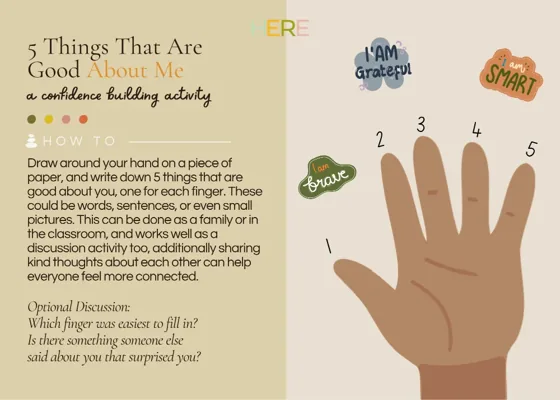


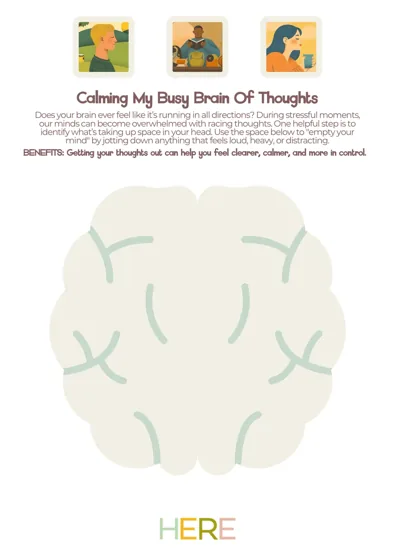
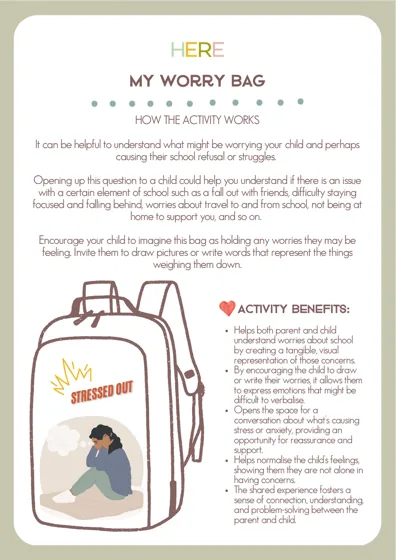
Choose what it shows
When you make an embed, you choose what it includes: the Activity Library, Ask Noa, Create and Plan and Wellbeing Worlds, any one on its own or all of them together.
You also choose who it is for, the people you support or your own team, and the quiet line that says who it was made for. A team can make up to six, so one can face the public and another can sit on the staff intranet.
Embed it, or share it as a link
Every embed is also a link. If nobody in your organisation edits the website, share the link in a newsletter, an email, a staff bulletin or behind a button, and it opens the same HERE, with nothing to install.
What your IT team needs to know
Forward this part to whoever looks after your website or intranet.
- It is a standard iframe. Any page that can show an embedded video can show HERE.
- The only address to allow is hereforyouforthem.com.
- Nothing passes from your page into HERE: no names, no logins and no details about the person viewing.
- Visitors do not sign in, so there are no accounts to manage.
- You can list the websites allowed to show your embed, and it will refuse to appear anywhere else.
- The code sets a height of 820 pixels. Change the number to suit your page.
- You can switch an embed off at any time from your team page, and it ends with your plan.
Questions people ask
Is the HERE embed included in my plan?
Yes. Every HERE team plan includes it: Small Team, Medium Team and Large Team. There is no separate charge for the embed.
When do I get the embed code?
As soon as you join a HERE team plan. Your welcome email walks you through it: sign in, open Your Team, and make your embed there. You get a link to share and the code to paste, straight away.
Do I need a developer to add it?
No. If you can add a video to a web page, you can add HERE. If you cannot edit your website at all, share your embed as a link instead.
Will it work on our intranet or SharePoint?
It works on any page that accepts an iframe. Many intranet tools, SharePoint and Google Sites among them, let you embed a page; some ask for the address to be allowed first, in which case your IT team allows hereforyouforthem.com.
Do the people using it need an account?
No. Visitors use HERE straight away, with no sign-in, no email and no payment prompt. On a school or council page the visitor may be a child, which is exactly why nothing is asked of them.
Is any personal information shared with HERE?
No. The embed receives nothing from the page it sits on. HERE counts how much each embed is used, so you can see it on your team page, without recording who anybody is.
Can we choose what appears?
Yes. Each embed shows what you pick: the Activity Library, Ask Noa, Create and Plan, Wellbeing Worlds, or any mix of them.
Can it carry our own branding?
Each embed carries a quiet line naming the organisation it was made for. A fully branded version, with your own logo and colours, is part of a bespoke Powered by HERE build. Ask us about it.
Updated 1 October 2026
Keep reading
More from Powered by HERE
- How HERE finds the right activityDescribe the moment, not the person, and HERE hands back reviewed activities that fit. Try it live.
- The evidence behind HEREWhat government guidance and published research say about grounding wellbeing support in specialist, reviewed knowledge.
- The API, for developersA small, privacy-first API that returns reviewed HERE activities to fit a moment, inside your own product.